 Inconnu
Roleposting
Roleposting is for supporters. Become a patron of any tier to post as your characters.
Roleposting lets you post a message "from" your character rather than your Discord username. It ties in to your Inconnu characters' stats and lets you tag, bookmark, and search your posts.
If your premium membership lapses, you keep your old posts! You can still edit and delete them and view your bookmarks and tags.
/post
Opens a dialogue where you write your post: up to 8000 characters across two fields. Inconnu splits long posts across several messages as needed.
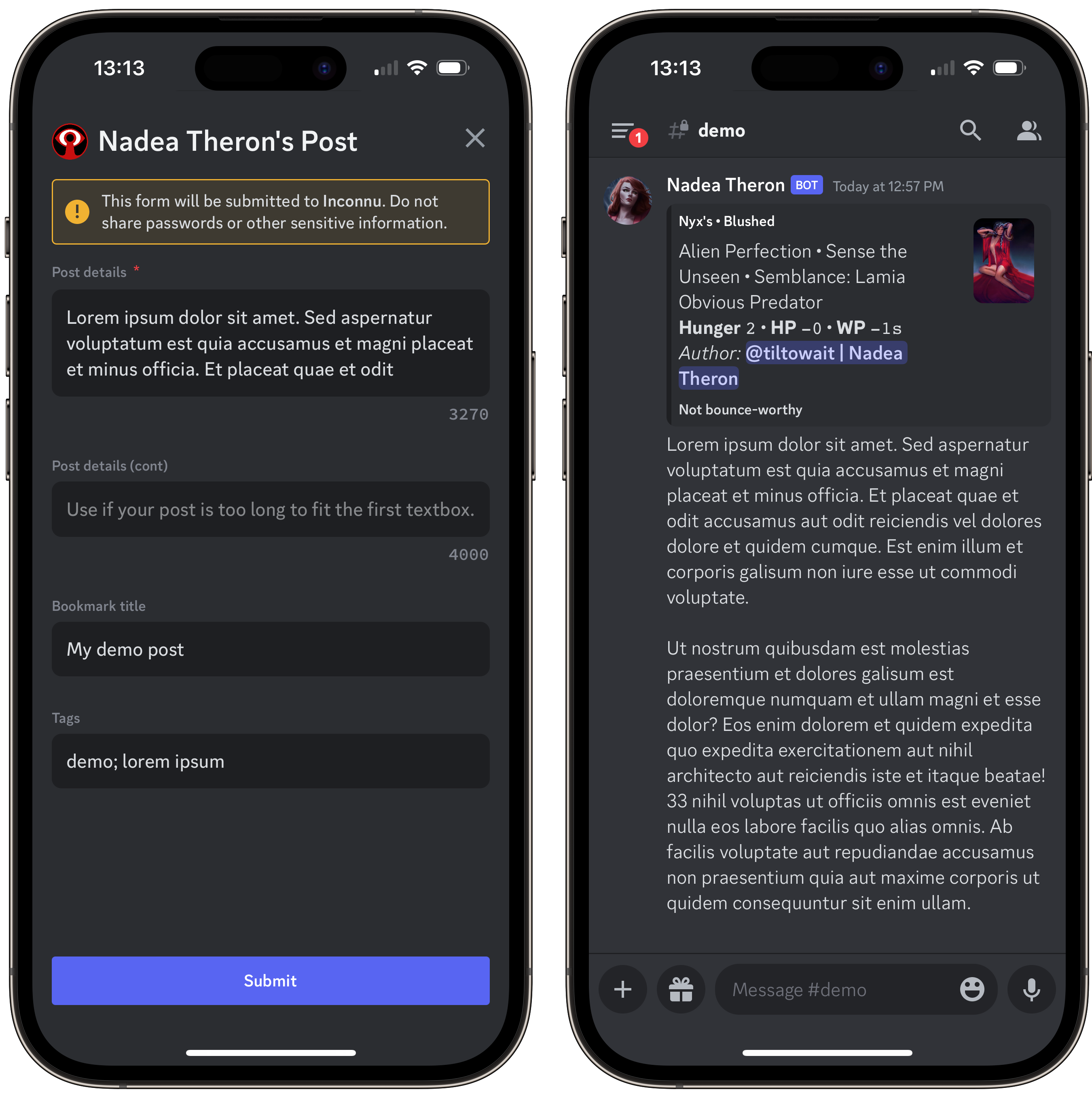
Write your post in an external editor or the main Discord text box, so you can look at other posts without losing your progress.
| Option | Description | Notes |
|---|---|---|
character |
The character to post as | |
mentions |
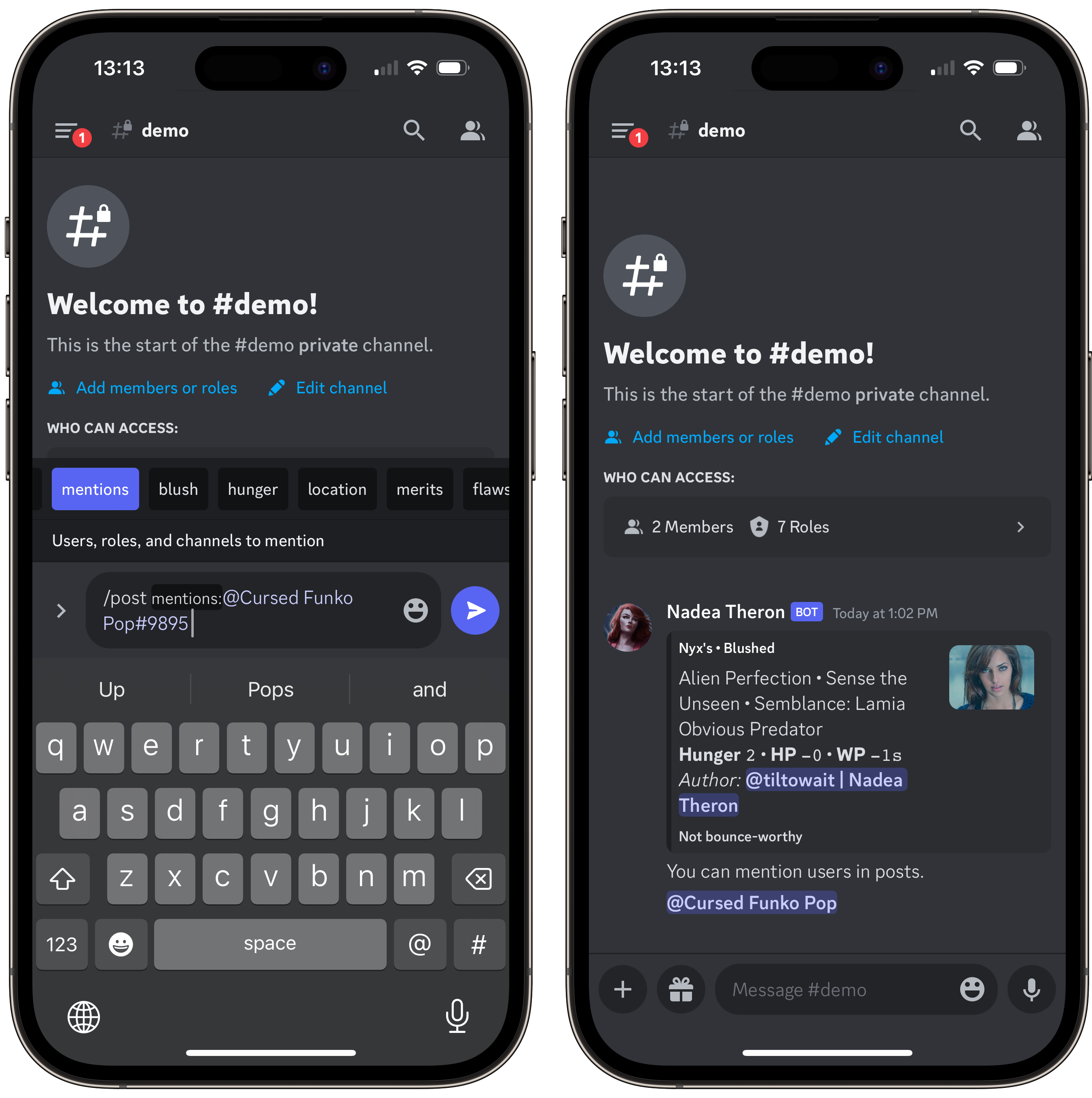
Users, roles, and channels to mention | Start with @ or # |
blush |
Is Blush of Life active? | This post only |
hunger |
The vampire's Hunger | This post only |
location |
Where the scene is taking place | This post only |
merits |
Obvious or important Merits | This post only |
flaws |
Obvious or important Flaws | This post only |
temporary |
Temporary effects | This post only |
display_header |
Whether to show the RP header above the post | Default True |
To change "this post only" options permanently, update the header.
Bookmarks and tags
In the dialogue, you can give the post a bookmark title, which lists it in /bookmarks, and tags, separated by semicolons, for /tags. Players use tags to track awakening scenes, Discipline use, rolls of particular Traits, scenes with particular characters, and more.
Editing and deleting
Right-click your post and choose Apps → Post: Edit or Apps → Post: Delete. On mobile, long-press the message and tap Apps. A long post is split across several messages, so you edit each one separately, up to 2000 characters.
/pmnh
A shortcut for /post with mentions required and no header ("post, mentions, no header"). It takes the same options, and display_header:True adds the header back.
/bookmarks
Lists your bookmarked posts, newest first. Click a bookmark's title to jump to the post.
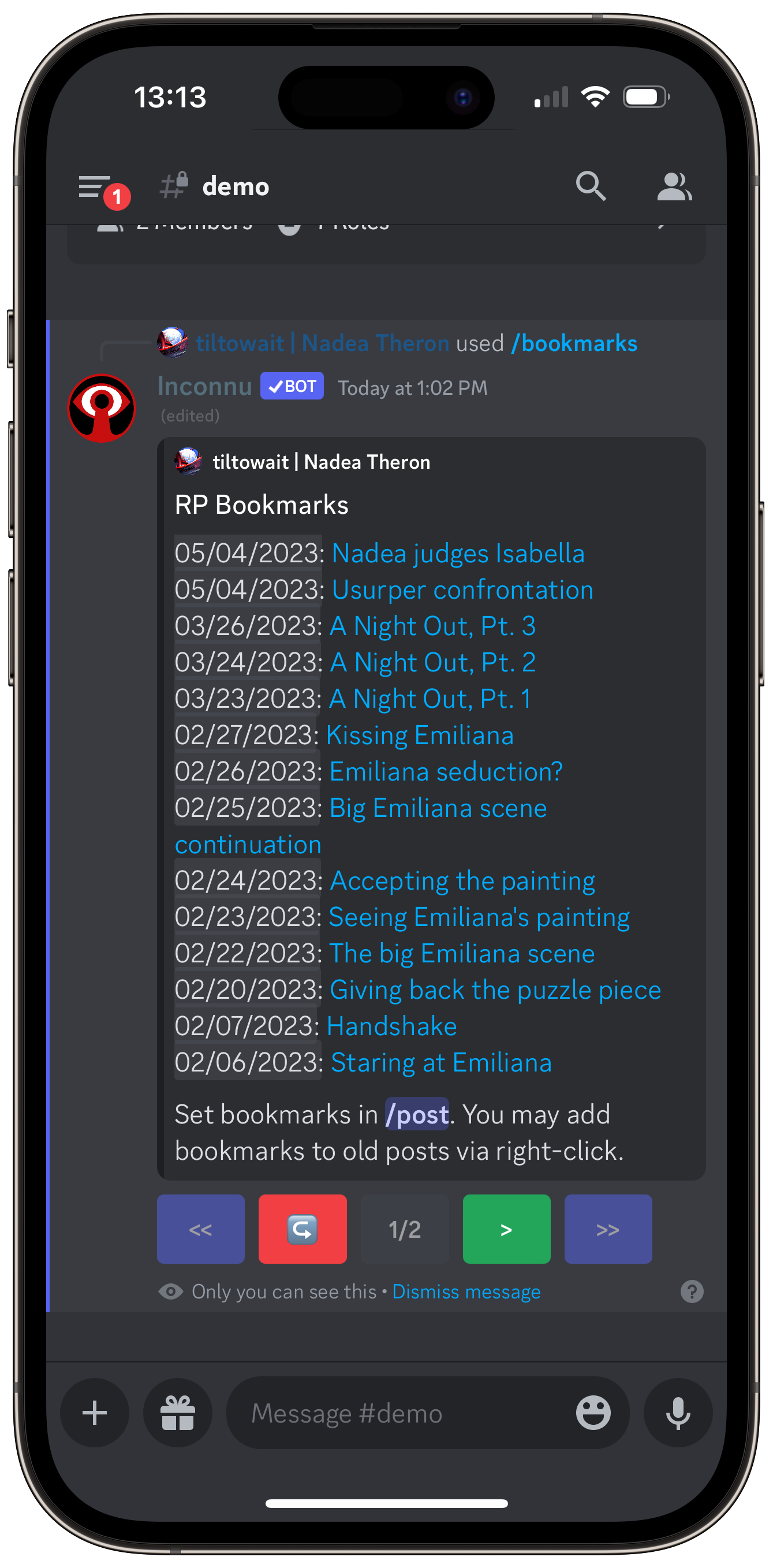
Only you can see your bookmarks, so call them whatever you like.
/tags
Lists your tags, most-used first, with how many times you've used each. Select tags to see the posts that have all of them, and click the character name to jump to a post.
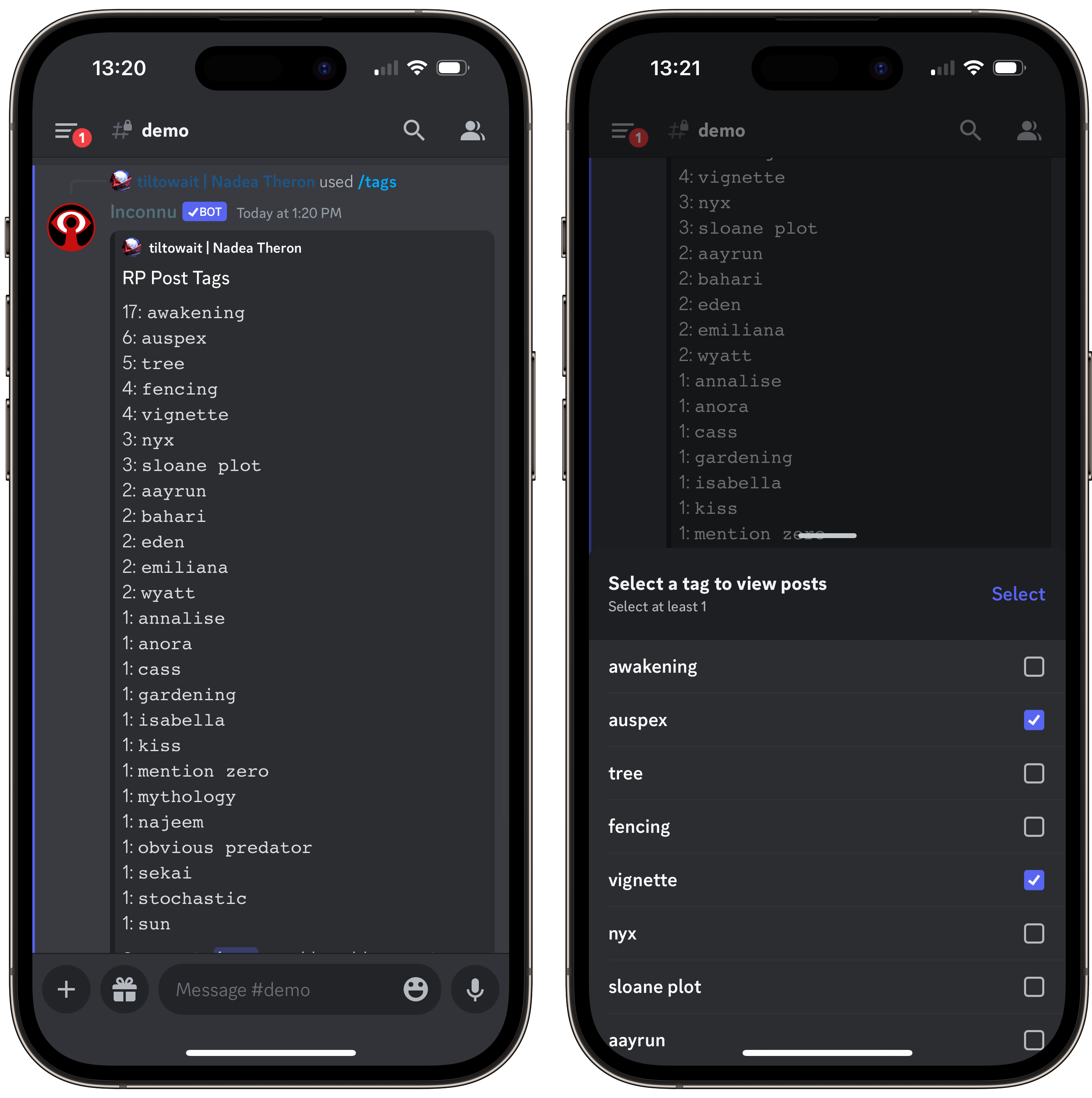
Only you can see your tags, so call them whatever you like.
/search
Discord's search has trouble with Roleposts. In particular, from: doesn't work with them. /search finds your posts, or another player's.
/search doesn't require premium. Anyone can search a premium user's posts.
Click a result's character name or snippet to jump to the post.
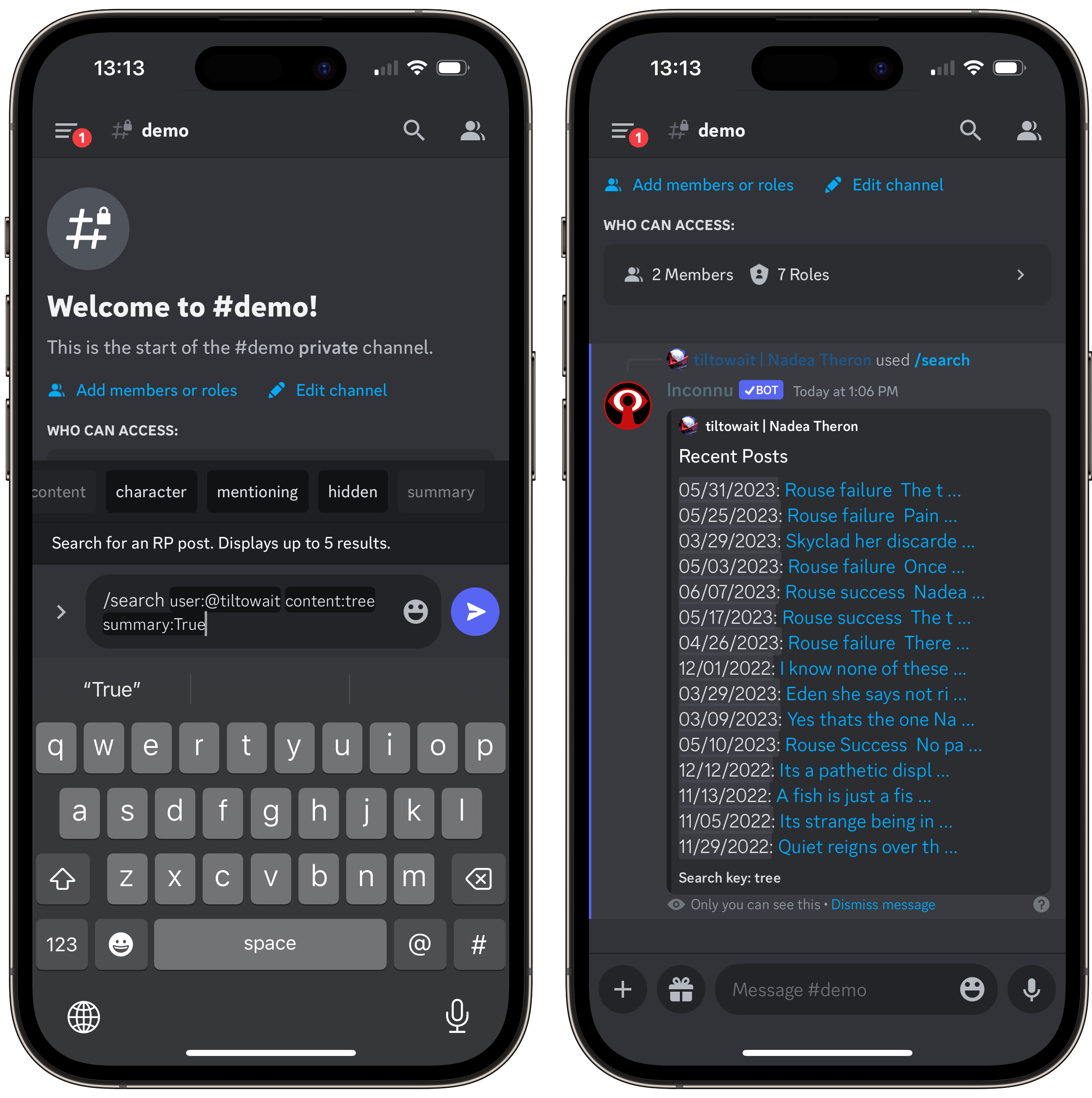
| Option | Description | Notes |
|---|---|---|
user |
The user who made the post | Required |
content |
Text in the post | |
character |
The character's name | The name when the post was made |
mentioning |
A user the post mentioned | The author must have used mentions |
after |
Only posts after a date | YYYY-MM-DD |
before |
Only posts before a date | YYYY-MM-DD |
hidden |
Show the results only to you | Default True |
summary |
Show a list of snippets instead of full posts | Default False |
sort_order |
Most relevant, Least relevant, Newest, or Oldest |
Default Most relevant, or Newest without content |
Deleted posts don't appear in /search, /bookmarks, or /tags.
Server setup
Admins should:
- Re-invite Inconnu with
/inviteif it was added before July 2023 (see Troubleshooting). - Set the Rolepost changelog channel and Rolepost deletion channel in
/settings scope:Server. - Try
/post!
Changelog channel
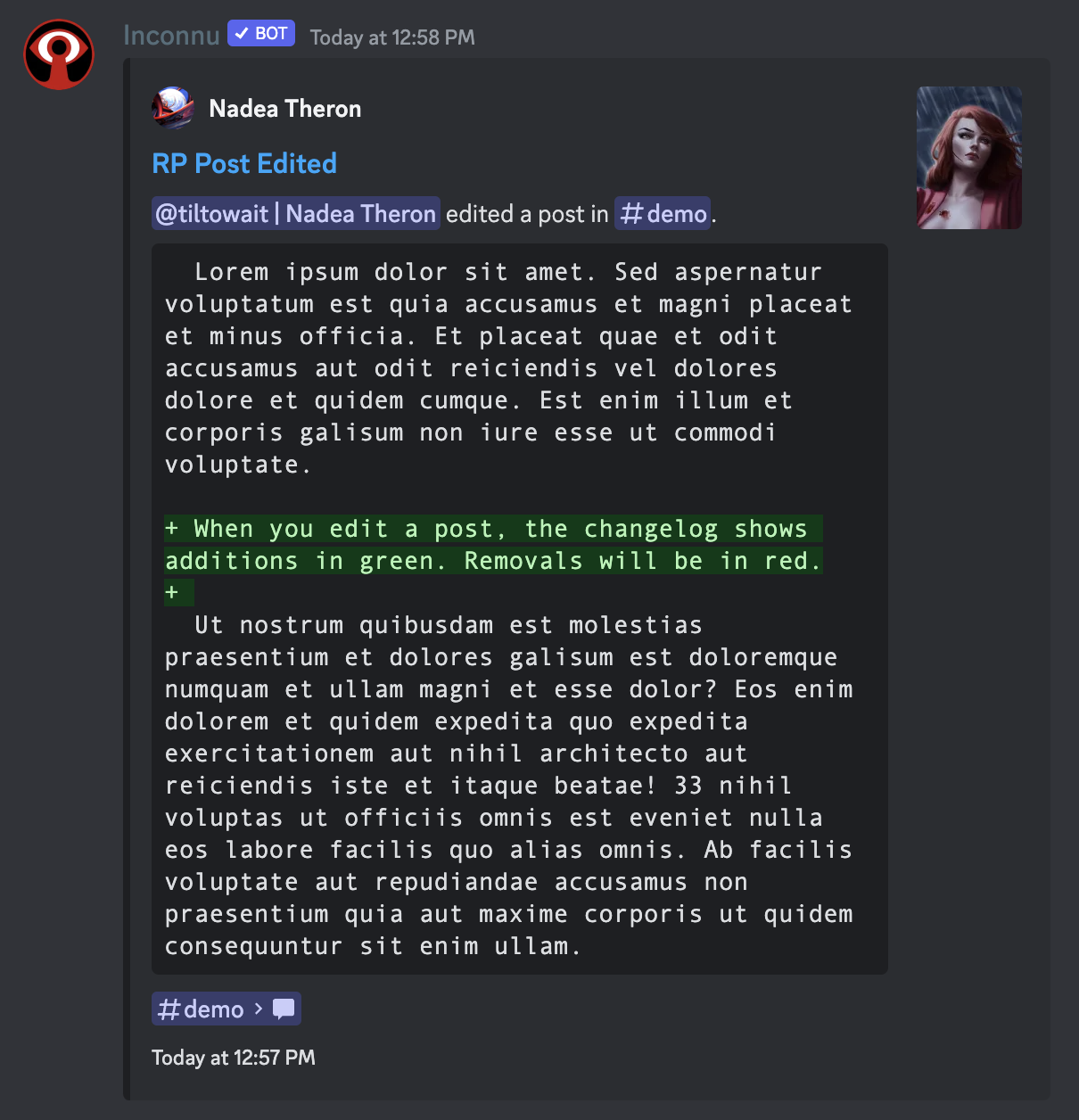
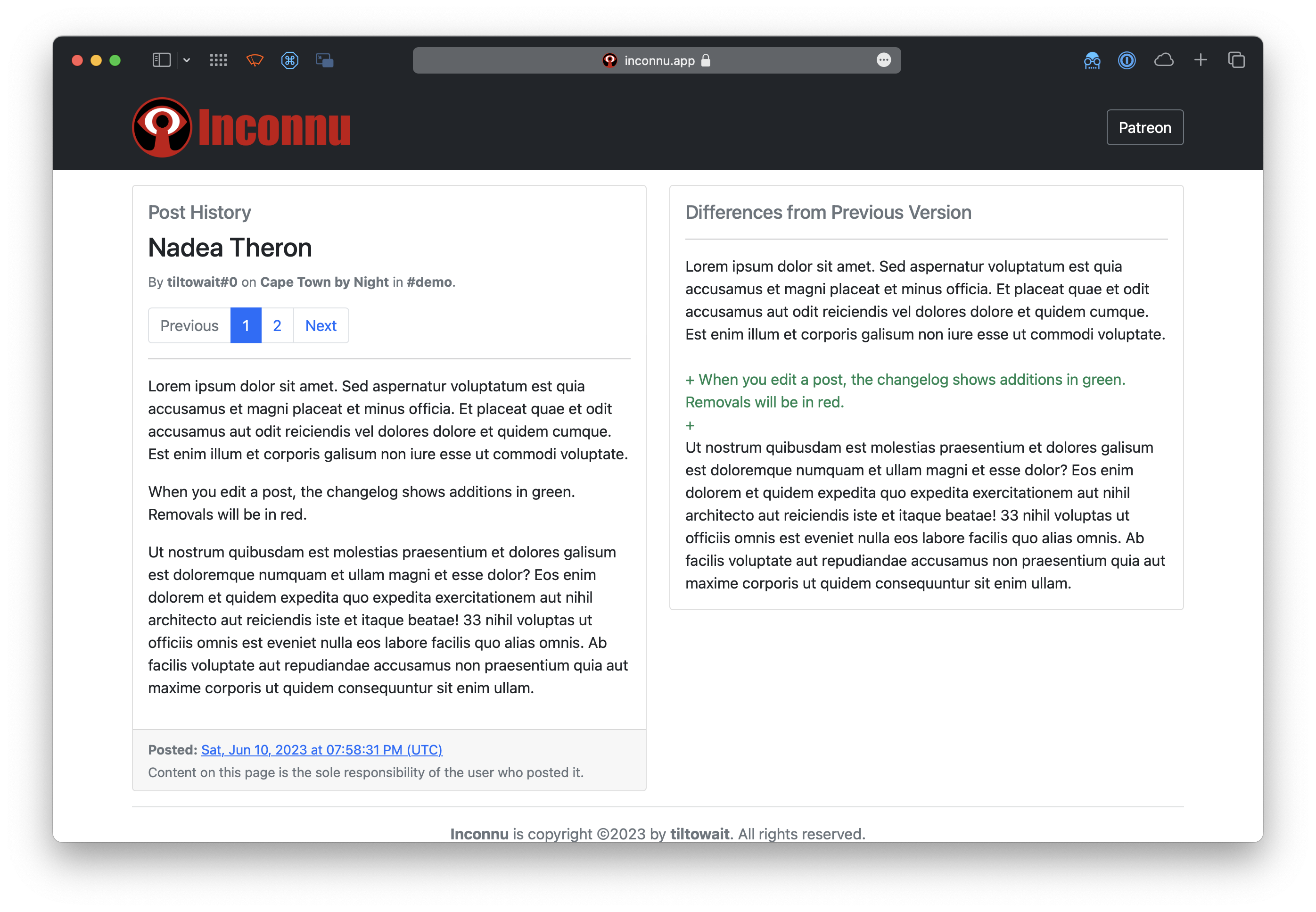
When someone edits a post, Inconnu posts a notice in the changelog channel. It links to the post, shows what was added and removed, and links to the post's full history on the Inconnu website.
Deletion channel
When someone deletes a post, Inconnu posts a notice in the deletion channel, with the author, the channel, the post's contents, and a link to the post's record on the Inconnu website. It can be the same channel as the changelog.
Posts deleted in bulk, or by deleting their channel, get no notice.
Troubleshooting
Roleposting needs the Manage Webhooks permission. If Inconnu was invited before July 2023, re-invite it to add this permission: use /invite and click the link. You shouldn't need to kick the bot first, but if re-inviting doesn't work, kick it and invite it again.
Inconnu keeps data for 30 days after being kicked, so kicking and re-inviting it won't delete your players' characters.